
.vmx knobs and levers
Keystroke Lag
On some Linux hosts some of the time -- this impacts some VMs but not others -- there's a guest VM keystroke lag bug. It usually responds to this:
mks.enableVulkanPresentation = "FALSE"
mks.vk.syncPerEndFrame = "TRUE"
In the event it doesn't, this seems to work:
mks.svgaThread.forcePolling = "TRUE"
mks.svgaThread.pollUS = "250"
Smooth + Responsive Graphics
Regarding smooth graphics in a Windows VM: find a way to set the guest's system timer resolution to 0.5ms (2000Hz). Everything I've read suggests this shouldn't be helpful. But it is.
Disable the guest [Hyper-V] hypervisor. It's enabled in pretty much every Windows 11 installation as "Vitualization-based Security." It's surprisingly tricky to kill and get it to remain disabled. vhv.enable = "false" might be helpful here.
Check hypervisor status within the guest: get-winevent -LogName system | Where-Object { $_.ProviderName -like 'Microsoft-Windows-Hyper*' }
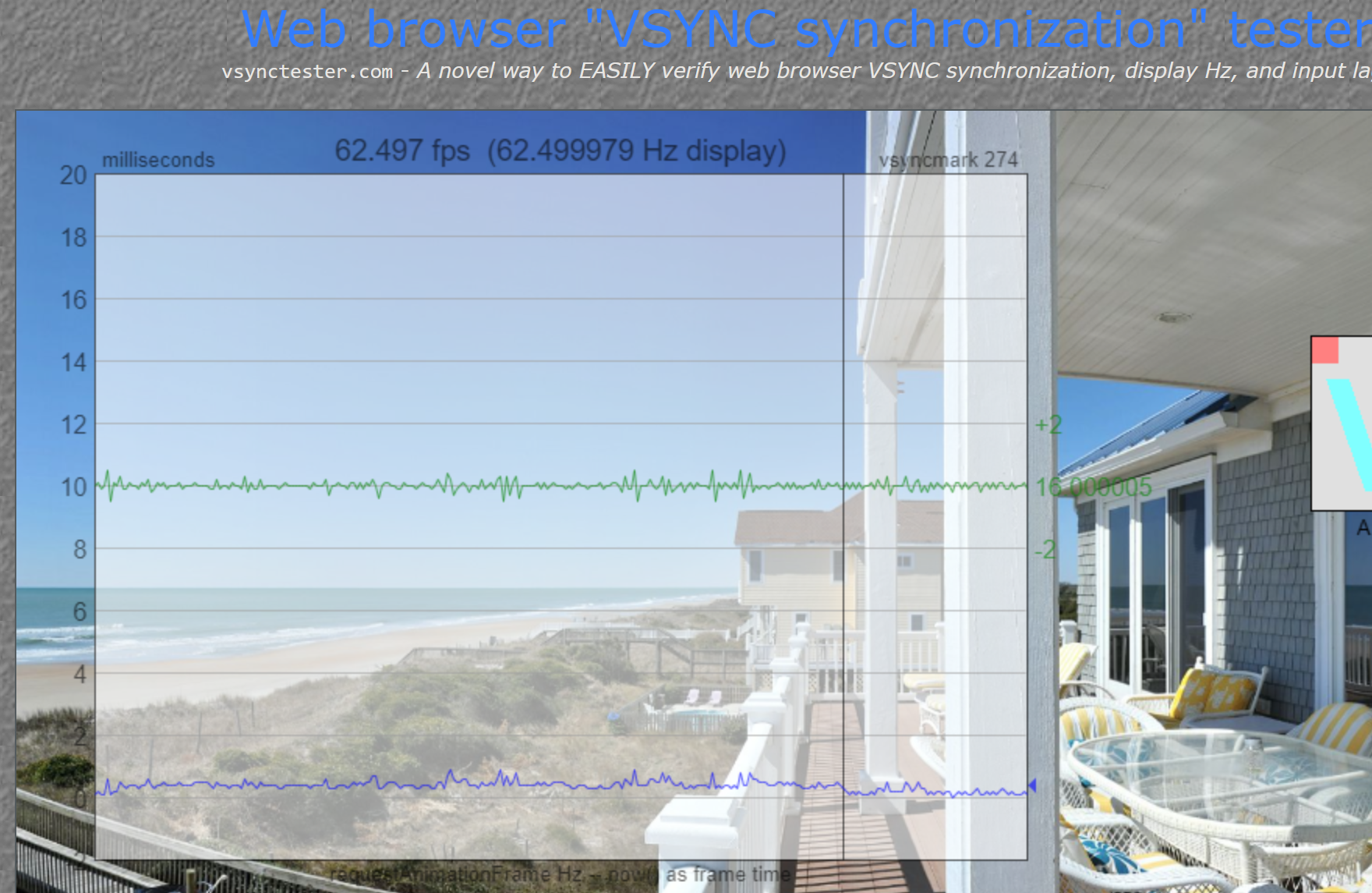
The two items above (system timer and no Windows hypervisor) should earn this result (vsynctester.com on Chrome):
Host Memory Usage (Linux)
mainmem.backing = "named" -- host mem usage will be only what the VM actually needs at any given time. mainMem.useNamedFile entry applies to only Windows Hosts; ignored on Linux.
See also:
No comments to display
No comments to display