
International Trading
International Trading approved/enabled (under Account Features).
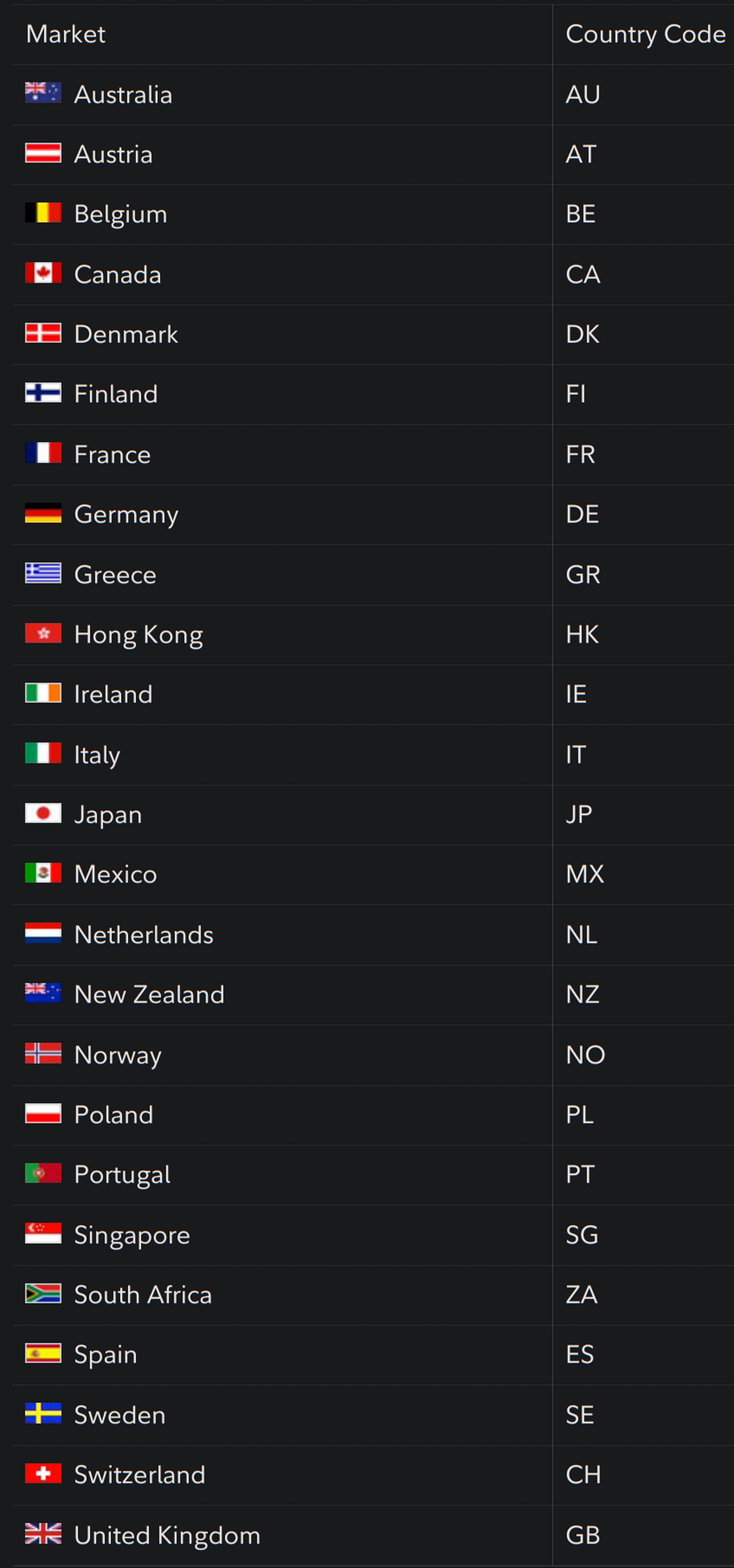
At the top of the trade ticket change "Stock" to "International" then suffix the ticker with :IT (e.g. AVIO would be AVIO:IT ). You can choose settlement in USD or EUR -- selecting USD enables automatic currency conversion during order fulfillment.
SG and AU:
The estimated order value and the commission fee at the bottom use the familiar dollar symbol ($) but it's actually quoting SGD for both. You'll see the US dollar value on the trade preview screen.
Procedure is identical for anything Australian but with suffix :AU and the same dollar confusion applies.
No comments to display
No comments to display